Android Pro

iPerf3 Android

スマートフォンやノートPCを煩雑なラボUIにすることなく、繰り返し可能なネットワークテストに必要なすべてを提供。
Google Play で $3.99 Android 7.0+0トラッキングエクスポート形式
iPerf3 Android

2つのモード、1つのワークフロー

  1. 1

    プリセット時間でのクイックスタート

  2. 2

    プロトコルと方向制御(TCP/UDP、逆方向、双方向)

  3. 3

    アプリをインストールして、数分で最初の制御されたiPerf3テストを実行しましょう。

主要機能

スマートフォンやノートPCを煩雑なラボUIにすることなく、繰り返し可能なネットワークテストに必要なすべてを提供。

高速テストフロー

シンプルモードで8/10/15秒の素早いテストが可能。アドバンスドモードで全プロトコルおよびトランスポートコントロールが解放されます。

高度なコントロール

実稼働シナリオに合わせて、時間、ストリーム、帯域幅上限、ウィンドウサイズ、MTU、方向などを調整。

豊富なメトリクス

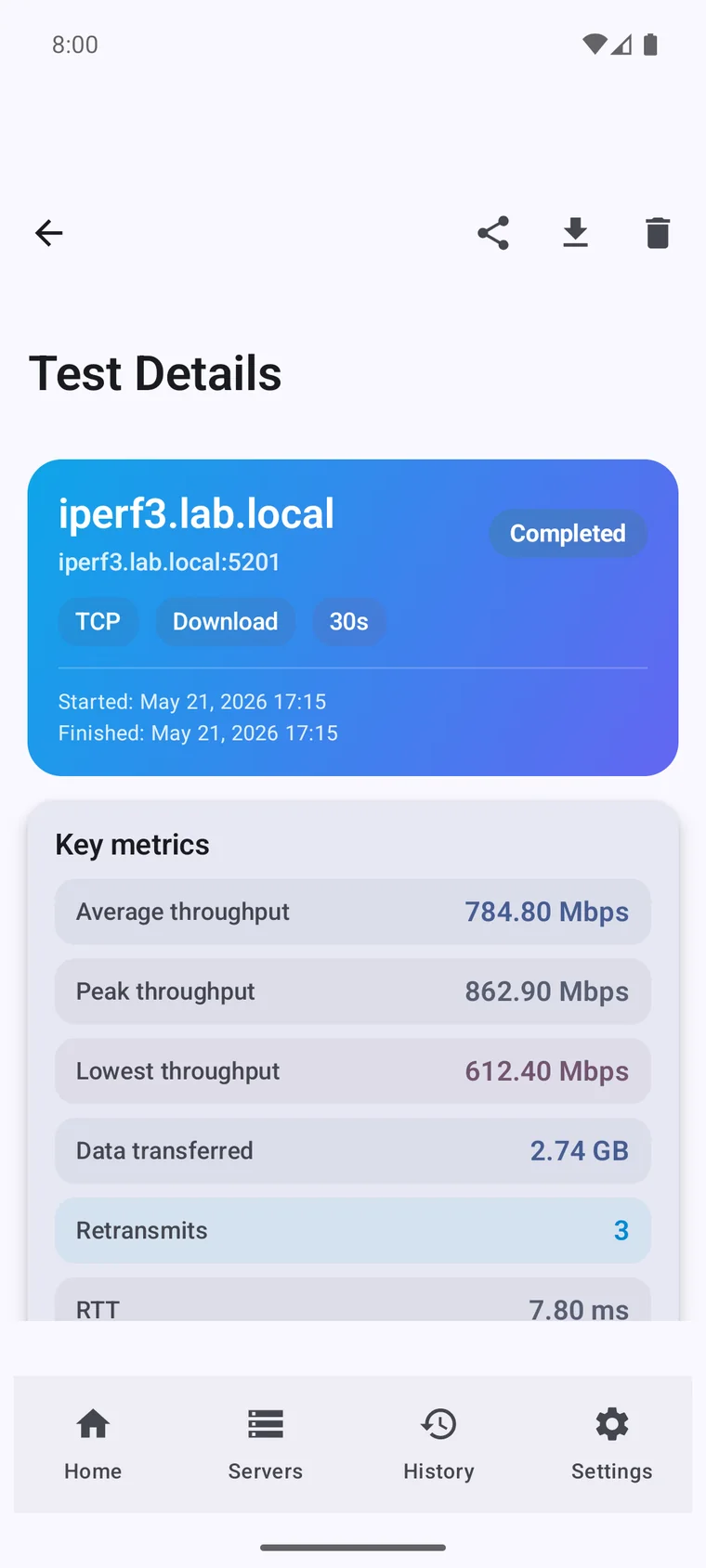
スループット、RTT、再送、ジッタ、パケットロス、インターバルごとの動作を追跡し、深い分析を実現。

コマンドラインを超えて

iperf3 は無料のオープンソース CLI です。本アプリはその上に作られたネイティブなワークフローで、ターミナルではカバーできない場面やデバイスに対応します。

素の iperf3 CLI
iPerf3 Client & Server
流れていくテキスト出力だけ
リアルタイムの速度計とズーム可能なスループットグラフ
ウインドウを閉じると結果が消える
すべてのテストを日付別の検索可能な履歴に保存
実行のたびにサーバーアドレスを入力
保存済みサーバープロファイル:ホストとポートをワンタップ
レポート化には手作業の解析が必要
ワンタップで CSV / JSON 書き出し
iPhone や iPad に iperf3 は存在しない
iPhone・iPad・Mac・Vision・Android でネイティブにクライアントとサーバー
シェルスクリプトのみ
Apple Shortcuts と x-callback-url による自動化
英語・ターミナルのみ
14 言語、エラー時のガイド、データ収集ゼロ

基盤となる iperf3 エンジンはオープンソースです。本アプリはその周りにインターフェース、履歴、グラフ、自動化を加えます。

ネットワークのプロに選ばれています

App Store、Mac App Store、Google Play の本物の5つ星レビュー。

  • I use it on iPhone, iPad and Mac to test real network speed over Ethernet (1 Gb and 2.5 Gb) and Wi-Fi 7. Really useful tool. Very satisfied with the interface and features. Highly recommend it.
    Andrey Mazurov App Store
  • The app is beautifully crafted and has a lot of functionality. Results are precise and you can tweak the tests. Very good!
    dawvik App Store
  • Works great. Can be used both as a client and as a server, in advanced mode and to view graphs.
    TanyaBelousova App Store
  • Able to move from site to site and test from different environments. The developer responded quickly and I was able to update and get it working asap!
    Mikey.Joel Mac App Store
  • Works great, very nicely done app! You deserve a beer!
    Elijah Pearson Google Play
  • Vladimir has done a perfect job on both the Android and macOS versions. My life has become so much easier. Forever grateful!
    Michael Acosta Google Play

よくある質問

No. iPerf3 measures the real throughput between two devices on your own network (Wi-Fi, Ethernet, VPN or mobile data), not the path to your ISP. For a public internet speed test, use a tool like Speedtest instead.

Yes: iPerf3 always tests between a client and a server. The server can be a router, NAS, PC, or another Android device running this app in server mode. There is no central server you connect to.

Yes. Switch the app to server mode and it listens for incoming tests, so you can run a full client-to-server test between two Android phones, or between your phone and a laptop, NAS or router.

Yes. TCP measures raw throughput, while UDP reports jitter and packet loss, which matter for VoIP, video calls, gaming and other real-time traffic.

Wi-Fi, mobile data (4G/5G/LTE), wired Ethernet (via a USB adapter), and VPN links: anywhere your Android device can reach an iPerf3 server.

Yes. iPerf3 Pro for Android is a one-time purchase with no subscription and no ads.