
การทดสอบที่รวดเร็ว
Simple Mode ให้การรันแบบ 8/10/15 วินาที ส่วน Advanced Mode เปิดการควบคุมโปรโตคอลและทรานสปอร์ตเต็มรูปแบบ
Android Pro
ทุกอย่างที่จำเป็นสำหรับการทดสอบเครือข่ายซ้ำได้ โดยไม่ทำให้โทรศัพท์หรือแล็ปท็อปกลายเป็นเครื่องมือแล็บที่รกเกินไป
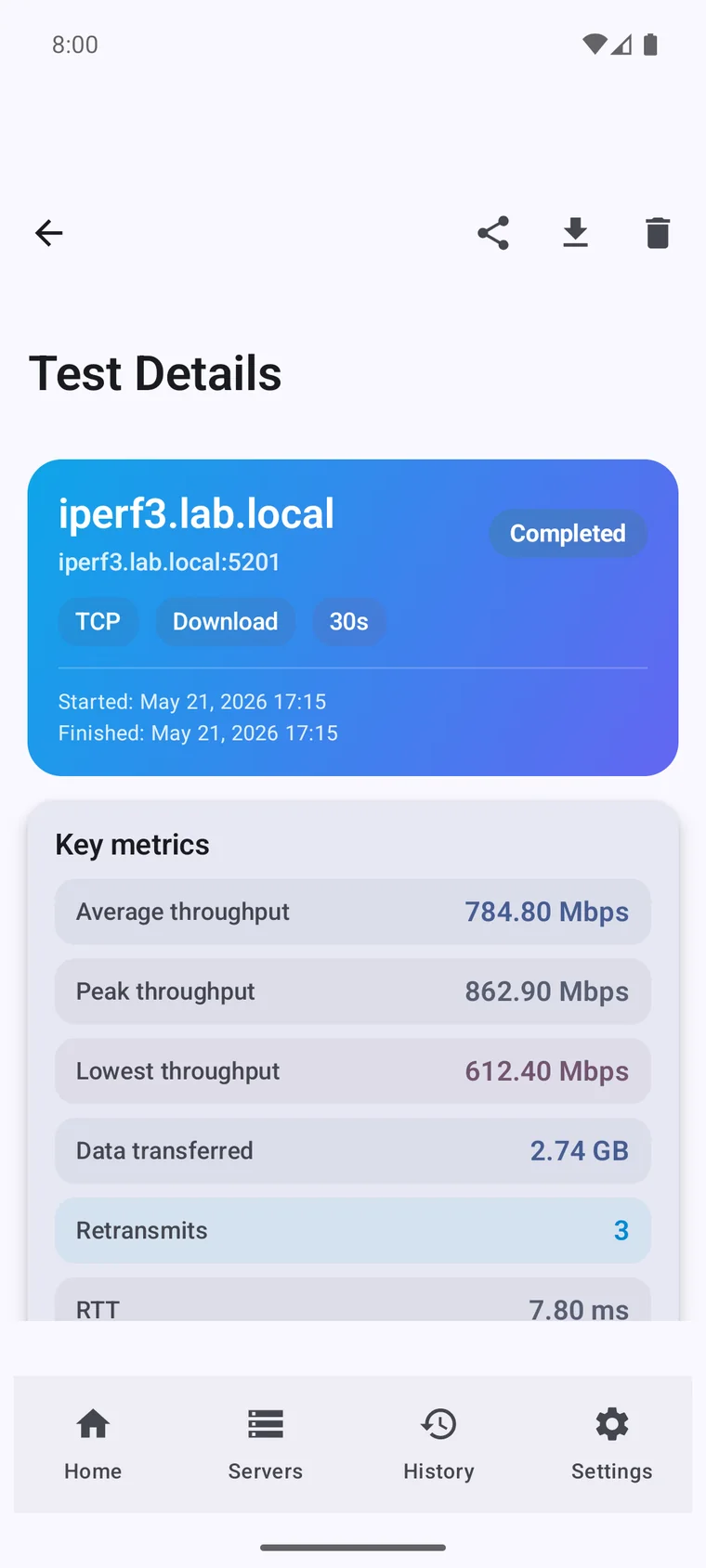
ปัดหรือใช้ลูกศรเพื่อดู workflow ทั้งหมด แตะภาพหลักเพื่อเปิดเต็มหน้าจอ
เริ่มเร็วด้วยระยะเวลาที่ตั้งไว้ล่วงหน้า
ควบคุมโปรโตคอลและทิศทาง (TCP/UDP, reverse, bidirectional)
ติดตั้งแอปและรัน iPerf3 test แบบควบคุมได้ครั้งแรกภายในไม่กี่นาที
ทุกอย่างที่จำเป็นสำหรับการทดสอบเครือข่ายซ้ำได้ โดยไม่ทำให้โทรศัพท์หรือแล็ปท็อปกลายเป็นเครื่องมือแล็บที่รกเกินไป
Simple Mode ให้การรันแบบ 8/10/15 วินาที ส่วน Advanced Mode เปิดการควบคุมโปรโตคอลและทรานสปอร์ตเต็มรูปแบบ
ปรับ duration, streams, bandwidth cap, window size, MTU, direction และตัวเลือกอื่นให้ตรงกับสถานการณ์จริง
ติดตาม throughput, RTT, retransmissions, jitter, packet loss และพฤติกรรมรายช่วงเวลาเพื่อการวิเคราะห์ที่ลึกขึ้น
iperf3 เป็นเครื่องมือบรรทัดคำสั่งโอเพนซอร์สที่ใช้ฟรี แอปนี้คือเวิร์กโฟลว์เนทีฟที่สร้างขึ้นบนมัน สำหรับงานและอุปกรณ์ที่เทอร์มินัลทำไม่ได้
เอนจิน iperf3 ที่อยู่เบื้องหลังเป็นโอเพนซอร์ส แอปนี้เพิ่มอินเทอร์เฟซ ประวัติ กราฟ และระบบอัตโนมัติไว้รอบ ๆ มัน
รีวิว 5 ดาวจริงจาก App Store, Mac App Store และ Google Play
I use it on iPhone, iPad and Mac to test real network speed over Ethernet (1 Gb and 2.5 Gb) and Wi-Fi 7. Really useful tool. Very satisfied with the interface and features. Highly recommend it.
The app is beautifully crafted and has a lot of functionality. Results are precise and you can tweak the tests. Very good!
Works great. Can be used both as a client and as a server, in advanced mode and to view graphs.
Able to move from site to site and test from different environments. The developer responded quickly and I was able to update and get it working asap!
Works great, very nicely done app! You deserve a beer!
Vladimir has done a perfect job on both the Android and macOS versions. My life has become so much easier. Forever grateful!