
Lab and admin checks
Run repeatable TCP/UDP tests from a Mac while keeping the same profile, history and export model as the mobile app.
macOS
Use the Mac version for lab, desk and admin workflows where a native UI is faster than rebuilding the same command-line setup for every test.
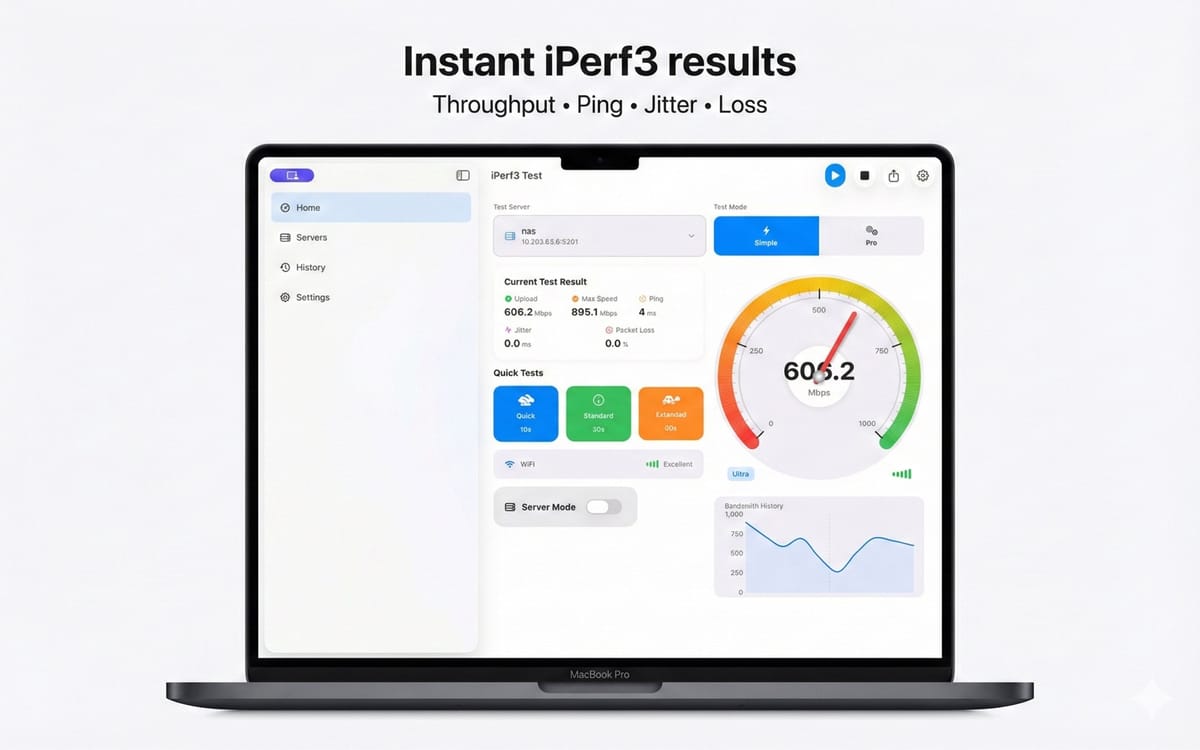
Swipe or use arrows to explore the full product flow. Tap the main frame to open fullscreen.
Install the universal Apple app from the Mac App Store.
Open Client, Server or Advanced mode based on the test role.
Run the test, inspect charts and export the saved result if needed.
The product pages stay separated by platform so search intent, store links and support paths remain clear.
Run repeatable TCP/UDP tests from a Mac while keeping the same profile, history and export model as the mobile app.
Expose the iperf3 parameters that controlled validation needs and consumer-style speed checks hide.
Save local results and export CSV or JSON for spreadsheets, scripts, reports and support tickets.
iPerf3 is a free open-source CLI. This app is the native workflow built on top of it, for the places and tasks a terminal can't cover.
The underlying iperf3 engine is open source. This app adds the interface, history, charts, and automation around it.
Real 5-star reviews from the App Store, Mac App Store, and Google Play.
I use it on iPhone, iPad and Mac to test real network speed over Ethernet (1 Gb and 2.5 Gb) and Wi-Fi 7. Really useful tool. Very satisfied with the interface and features. Highly recommend it.
The app is beautifully crafted and has a lot of functionality. Results are precise and you can tweak the tests. Very good!
Works great. Can be used both as a client and as a server, in advanced mode and to view graphs.
Able to move from site to site and test from different environments. The developer responded quickly and I was able to update and get it working asap!
Works great, very nicely done app! You deserve a beer!
Vladimir has done a perfect job on both the Android and macOS versions. My life has become so much easier. Forever grateful!